


Flare
4.690.00 Reviews
App Specs
- Version
- 6.3.8
- Updated On
- License
- Free
- Downloads
- 10,000+
- Developer
- Flare App, Inc.
- Categories
- Social
- Platform
- Android
Screenshots
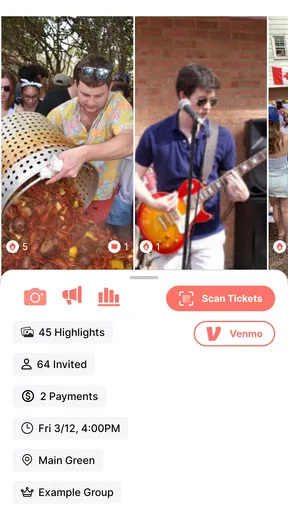
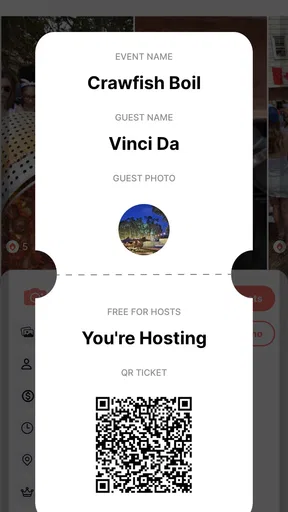
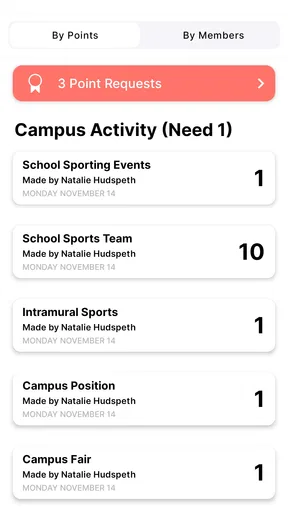
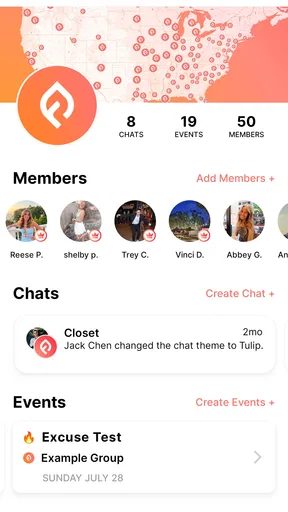
 Analysis by AppCompare
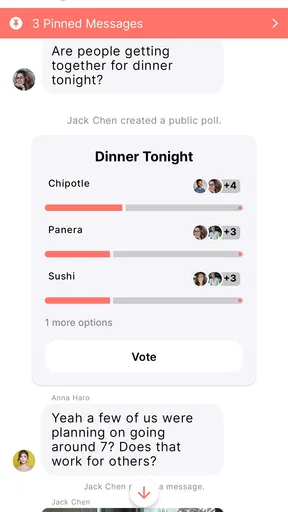
I found Flare most useful when a group needs one shared place to stay coordinated without turning every decision into a long message thread. It is a free social app from Flare App, Inc., presented as an all-in-one space for groups. After spending time with it, my impression is that its value depends less on individual entertainment and more on whether your friends, classmates, club, family, or project team are willing to use the same space consistently.
That distinction matters. Flare is not simply another feed to scroll through, and it is not a full replacement for every chat, calendar, or project-management tool. Its appeal comes from bringing group activity together in a way that can reduce the small bits of coordination that usually get scattered across several apps. I would recommend trying it if your group regularly loses track of plans, updates, or shared decisions. I would be more cautious if you are looking for a large public network or a highly customizable professional workspace.
How Flare feels to read and navigate
I use this section to look beyond the first impression and consider whether Flare stays comfortable once a group’s conversations build up. Clear group names and concise updates can make returning to an ongoing discussion easier, while a little shared discipline helps keep useful details from getting lost. That matters most when people check in at different times rather than reading every message as it arrives.
A group-first layout rather than a public social feed
The first thing I noticed is that Flare makes more sense when I think in terms of groups instead of individual profiles. That changes how I approach the app. Rather than opening it mainly to browse whatever is popular, I open it with a particular circle in mind: the people involved in a plan, activity, or ongoing conversation.
This group-first approach can make navigation feel calmer than a conventional social network. There is less pressure to keep up with an endless stream of unrelated posts, and the useful information is tied to the groups I actually care about. For a small team arranging a presentation, for example, the important question is not what is trending; it is whether everyone has seen the latest decision and knows what to do next.
At the same time, a focused structure only works when the group keeps its habits tidy. If members create spaces for every minor topic, the app can become just as confusing as a collection of message threads. I found that naming a group clearly and agreeing on what belongs there makes a noticeable difference. A short label such as “Saturday hike” or “design project” is easier to recognize than a vague title that only made sense at the moment it was created.
Readability depends on group discipline
Flare’s readability is strongest when people write short, specific updates. A message that begins with the decision, followed by the action needed, is much easier to scan than a paragraph containing several questions. This is not a flaw unique to Flare, but the app’s group-centered purpose makes it especially important: the more people involved, the more quickly an unclear post becomes a coordination problem.
Worth Reading Before You Choose

EA SPORTS FC Mobile 26 Is a Bigger Football Game, but It Takes Time

Flipboard Shows What News Apps Must Do Beyond the Feed

Switching to Android Auto Means Rethinking Your Driving Routine

Google Calendar Makes a Crowded Week Easier to Manage

Ludo King Makes the Most of the Minutes Between Plans

Baby Panda World Brings Quick Play to Modern Phones, but Its Game Library Feels Busy
For users who find dense social feeds tiring, the narrower context may be welcome. I can concentrate on one group instead of filtering through unrelated content. For users who need larger text, stronger contrast, or other device-level adjustments, the practical experience will depend partly on the phone’s operating-system settings and how the app responds to them. I would test those settings early rather than assuming every screen will remain equally comfortable.
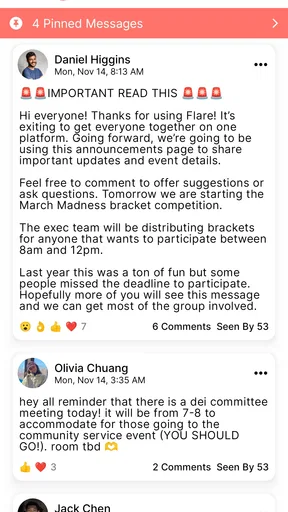
My most useful reading habit was to separate announcements from discussion. If a group uses the same area for urgent updates, jokes, questions, and old decisions, important information becomes harder to locate. Flare can support a cleaner experience, but it cannot automatically create good information architecture for a disorganized group. The app gives people a shared room; the members still need to decide where things belong.
Useful for people who need context, not constant novelty
I think Flare suits readers who prefer purposeful interaction. Someone checking a group before leaving home can focus on what changed, what needs a reply, and whether a plan is still active. That is a different experience from opening a traditional social platform and being pulled toward unrelated content.
There is also a benefit for people who do not want to perform publicly. A private or familiar group context can feel less demanding than posting for a broad audience. This may help quieter members contribute when the subject is concrete, such as choosing a meeting time or confirming who is bringing supplies.
However, people who rely on very strong visual organization may want to spend time learning the app before moving an important workflow into it. The idea is straightforward, but a group can still produce clutter if every member uses a different style. I would not judge the experience only from the first few minutes; the real test is whether the app remains understandable after several active conversations.
Access across abilities and everyday situations
Here I consider how everyday routines and differing access needs can shape a group’s experience. A useful test is whether members can follow the conversation at their own pace, on their own devices, without being expected to respond instantly. I also look at the practical habits that can make a shared space less demanding, leading into what happens when the group’s activity becomes a regular part of the week.
Motor considerations during quick group tasks
Group apps are often used while someone is walking, carrying something, commuting, or switching between tasks. That makes small interaction choices matter. In my experience, Flare is most comfortable when I use it for deliberate check-ins rather than trying to manage a complicated group while distracted.
A practical workflow is to prepare the message before opening the group, keep the request focused, and send one clear update instead of several small corrections. This reduces repeated tapping and makes the conversation easier for everyone to follow. For someone with limited dexterity or hand fatigue, that habit can be more valuable than trying to respond to every individual message as it arrives.
I would also avoid making Flare the only place where a time-critical instruction exists unless every participant has agreed on how they monitor it. A person who cannot easily interact with a phone while moving may need a longer window to respond. The group should distinguish between “please confirm when convenient” and “we need an answer immediately.” That is an inclusive practice, and it prevents the app from becoming a source of pressure.
One trade-off is that a single shared space can encourage people to assume everyone is equally available. I found it better to use the app for coordination and decisions, then allow members to answer when they can. If your group expects instant replies at all hours, the problem is likely to be the group’s expectations rather than Flare’s interface.
Sensory load and notification habits
Social apps can become tiring when every interaction demands attention. Flare works better for me when I treat notifications as prompts to check a group, not as commands to respond immediately. Muting or adjusting alerts through the device, where available, can help create a more manageable routine, especially for people sensitive to frequent interruptions.
The best approach I found was to agree on a simple alert culture. Routine updates should not be written as emergencies, and urgent matters should be clearly identified in the message itself. This helps people who process information more slowly, use assistive technology, or need to limit sudden sensory interruptions.
There is a less obvious benefit to keeping group conversations focused: it reduces the amount of visual and mental sorting required. A group dedicated to one event is easier to review than a mixed stream containing family logistics, casual conversation, and unrelated links. If your group has several ongoing subjects, separating them by purpose may make Flare more usable for members who struggle with information overload.
I would still test the experience with your own display settings, font preferences, and notification needs. Comfort can vary considerably between devices and personal configurations. My positive impression of the focused group model should not be mistaken for a guarantee that every screen will suit every user.
Situational access for families, clubs, and small teams
A realistic example is a group preparing for a weekend community event. One person needs to confirm the location, another is bringing equipment, and a third cannot check messages frequently during work. Instead of sending separate reminders to each person, the group can keep the plan in one shared place. I would post the confirmed details in a concise update, ask each person to respond with one specific item, and avoid changing the arrangement through scattered side conversations.
That workflow helps people who join late because they can review the group context rather than asking everyone to repeat the same information. It also helps a member who needs more time to read, translate, enlarge, or otherwise process the content. The important condition is that the group does not bury the final plan under a stream of casual replies.
For students, Flare may be useful when a project needs lightweight coordination but does not justify a complex task system. A group can discuss a deadline, divide responsibilities, and keep the latest decision visible. I would not use it as the sole record for a formal project where audit trails, detailed permissions, or structured task dependencies are essential. In that situation, a dedicated collaboration platform is likely the better choice.
Families may appreciate the same simplicity for travel planning, shared errands, or event preparation. The app can make a small circle feel more organized than a mixture of individual messages. Still, older relatives or less confident smartphone users may need a short introduction from the person who creates the group. A quick explanation of where to read updates and how to reply can prevent the app from feeling like another obligation.
What Flare does better than ordinary alternatives
Compared with standard one-to-one messaging, Flare’s main advantage is the shared group context. Regular chat apps are excellent for quick conversations, but plans can disappear into a long history, especially when several people reply at once. Flare is more appealing when the group needs a common place to return to rather than a sequence of isolated exchanges.
Compared with a broad social network, it feels more purposeful. The experience is less about public discovery and more about keeping a defined group connected. That can be a meaningful difference for people who want social contact without an open-ended feed.
Compared with a project-management tool, Flare is likely to feel lighter and easier to introduce to casual groups. The trade-off is structure. A professional workspace may offer clearer assignments, formal status tracking, document handling, or administrative controls. I would choose Flare for coordination that benefits from a shared social setting, not for a workflow that requires strict accountability.
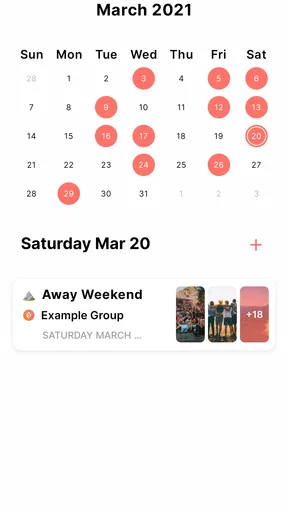
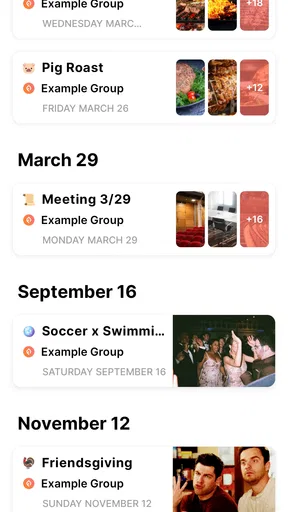
Compared with a calendar, it can hold the conversation around a plan rather than only the date and time. But a calendar remains better for recurring schedules and personal time management. My preferred combination would be to use Flare for the group discussion and a calendar for commitments that must not be forgotten.
Remaining barriers before a group adopts it
The largest barrier is not the basic idea; it is adoption. An all-in-one group app only becomes useful when the relevant people actually check it. If half the group stays in another messenger, information will split across platforms and the supposed convenience will disappear.
That is why I would start with one contained use case instead of moving every conversation immediately. A short trip, a club meeting, or one shared project is a good trial. Afterward, ask whether people could find the latest decision, whether anyone missed an important update, and whether the number of reminders went down. Those answers tell you more than a quick first impression.
Another limitation is that “all-in-one” can create expectations the app may not meet for every group. People sometimes want chat, scheduling, files, task management, announcements, and social discovery to behave perfectly together. Flare’s appeal is its group orientation, but I would not assume that one app removes the need for every specialized tool.
Privacy and comfort also deserve a group conversation before adoption. Members may have different expectations about what belongs in a shared social space. Keep sensitive personal details out of casual group discussions, and decide who should be included before posting information that is not meant for everyone. This is sensible practice for any social app, but it matters more when several types of relationships share one space.
The app is free, which lowers the barrier to trying it. It is intended for a Teen audience, so families should still consider whether the people in a group are comfortable with the social setting and the way conversations are managed. Flare App, Inc. is the developer, and the current version is 6.3.8; keeping the app updated is a sensible step when relying on any communication tool.
Who should try it, and who should skip it
I would suggest Flare to a friend who belongs to several small groups and is tired of losing decisions in ordinary chats. It is especially promising for clubs, informal teams, friend groups, and families that need one shared context but do not want the weight of a business platform.
I would also recommend it to people who prefer focused social interaction over a public feed. The group model can reduce distraction and make participation feel more relevant. It may be a good fit for someone who contributes more comfortably when the question is concrete and the audience is familiar.
I would skip it if your group refuses to leave its existing messenger, because a second app will add friction rather than remove it. I would also choose something else for a large public community, a highly regulated workflow, or a project requiring detailed roles and formal records. Users who need guaranteed compatibility with a particular accessibility setup should test their own device and assistive tools before inviting a whole group.
My inclusive verdict after using it
Flare earns its place by making group participation feel more intentional. Its strongest accessibility-related quality is contextual: people can focus on a defined circle instead of navigating a noisy public stream, and a well-organized group can make information easier to review at a suitable pace. That benefit is real, but it depends heavily on clear writing, sensible notification habits, and members who respect different response times.
Its weaker side is the uncertainty that appears when a group expects the app to solve every organizational problem automatically. It cannot compensate for vague messages, excessive alerts, poor group naming, or a split between several competing platforms. People with motor or sensory needs may find the focused workflow helpful, but they should still evaluate how the app behaves with their personal device settings and interaction methods.
The app has reached around ten thousand installs, with a 4.6 average from roughly four hundred ratings, which suggests a modest but positive reception. Those figures do not replace personal testing, especially because a social app’s usefulness depends on the people you need to reach. I would begin with one small group, establish a clear posting routine, and judge whether it genuinely reduces repeated questions.
My final view is favorable but practical: Flare is best when a real group has a real coordination problem. It is free to try, simple enough for informal use, and more focused than a general social network. I would recommend it to groups willing to agree on how they communicate, while steering highly structured teams toward dedicated collaboration tools and users with specific access requirements toward a careful personal trial first.
Pros
- Simple interface makes creating and sharing flares quick.
- Useful for discovering nearby activity and local updates.
- Notifications can help you stay informed in real time.
- Lightweight design is easy to navigate on smaller screens.
- Social features encourage interaction with people around you.
Cons
- Some areas may have limited activity or few available flares.
- Location access may be required for the main features.
- Frequent notifications could become distracting for some users.
- Content quality depends heavily on the local user community.
- Privacy-conscious users may dislike location-based functionality.
FAQs for Flare
What is Flare and what can I use it for?
Flare is an app designed to provide users with a convenient way to access its core features from a mobile device. Depending on the version and platform, it may include tools for communication, content, productivity, or entertainment. Before downloading, check the official store description because the name “Flare” can refer to different applications, and available functions may vary between Android and iOS.
Is Flare free to download and use?
Flare can generally be downloaded without an upfront charge, but some features may require in-app purchases, a subscription, or an account upgrade. It is worth reviewing the pricing information shown in Google Play or the App Store before installing it. Also check whether subscriptions renew automatically, what trial terms apply, and whether certain premium tools are restricted behind a paywall.
Does Flare require an account or personal information?
The information required by Flare depends on how the app works and which features you want to use. Some functions may be available immediately, while others can require an email address, phone number, profile details, or social login. During installation, review the requested permissions and the privacy policy so you understand how your data may be collected, stored, shared, or used.
Is Flare safe to install on Android and iPhone?
The safest way to install Flare is through the official Google Play Store or Apple App Store rather than downloading an unofficial APK or modified version. Before proceeding, verify the developer name, recent reviews, update history, and requested permissions. Keep your device updated as well, since compatibility, security, and available privacy controls can change with newer app releases.
Will Flare work on my device, and does it need an internet connection?
Flare’s compatibility depends on your operating system version, device model, available storage, and the requirements listed on its official store page. Many of the app’s features may need a stable Wi-Fi or mobile-data connection, especially if they rely on online accounts, synchronization, streaming, or cloud services. Check the latest requirements before downloading to avoid performance or access problems.


